Online Test Request Form for Labs: How to Build One
To build an online test request form for a lab, define your mandatory fields first, then layer conditional logic by test type and sample matrix, replace free-text fields with controlled vocabularies, structure the output to match your sample registration record, and connect submission to your sample receipt workflow. Each step below covers what to do and why it matters.
This guide draws on first-party experience at Sandorian, where our engineers have built intake forms for regulated ISO 17025 and ISO 15189 testing laboratories. What follows is not abstract form-builder advice - it is the field-level reasoning we apply on every project.
What an online test request form for a lab must capture
A lab test request form - also called a requisition form or lab order form - is the document or web form a client submits to request analysis of a sample. It captures every piece of information the lab needs to register the sample, assign it to the correct test method, and report results to the right person.
ISO/IEC 17025:2017 Section 7.1 defines the minimum content a laboratory must document when it receives a customer request. That clause is the compliance anchor for every field decision in this guide. If a piece of information belongs in the request record under Section 7.1, it belongs on the form.
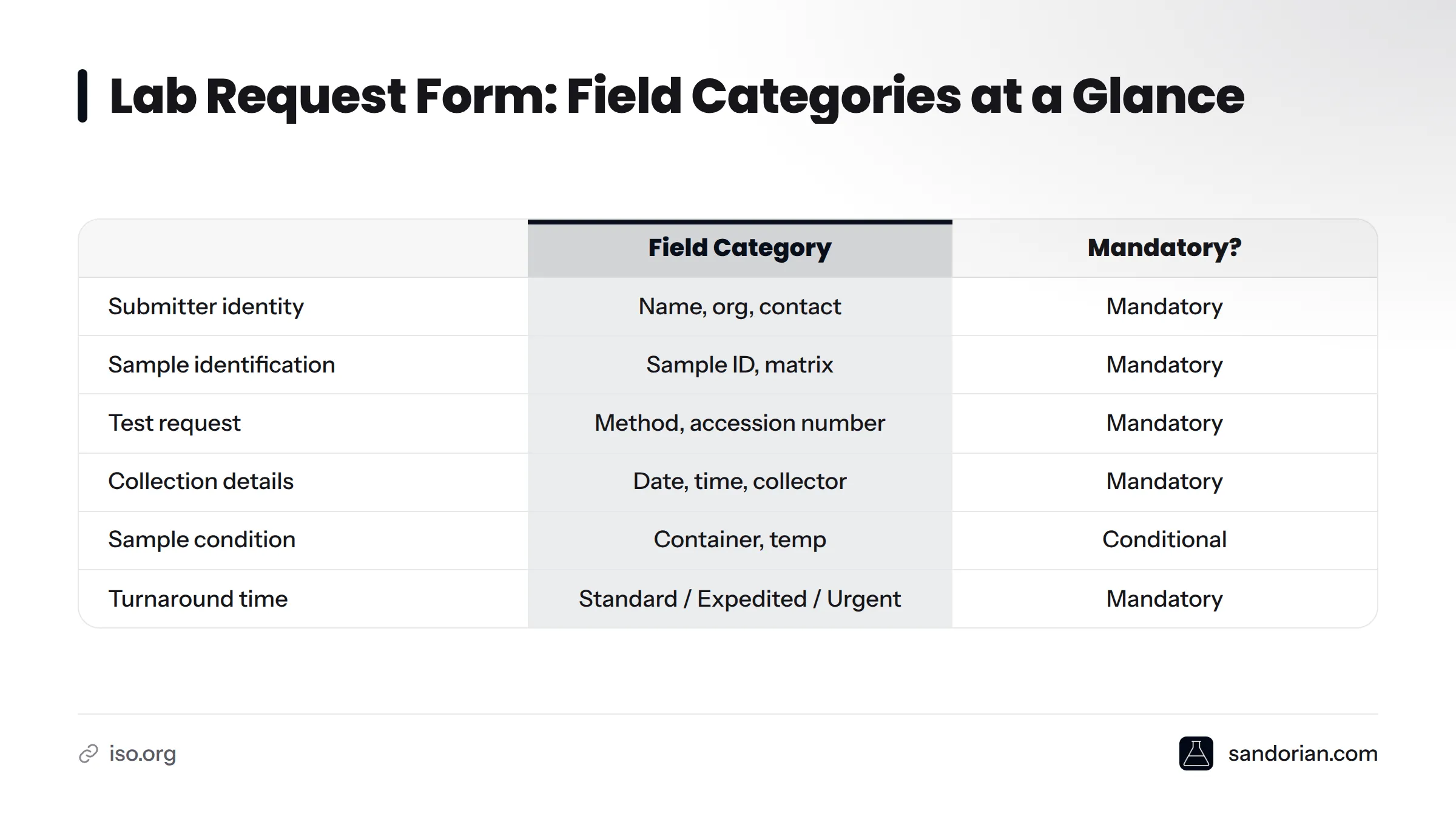
Here is the field category breakdown:
| Field category | Examples | Mandatory or conditional |
|---|---|---|
| Submitter identity | Name, organisation, contact email/phone | Mandatory |
| Sample identification | Sample ID, description, matrix | Mandatory |
| Test request | Test method or panel, accession number | Mandatory |
| Collection details | Collection date/time, collector name | Mandatory |
| Sample condition | Container type, preservation, temperature | Conditional |
| Turnaround time | Standard / expedited / urgent | Mandatory |
| Special instructions | Reporting format, partial release | Optional |
Step 1: Define your mandatory fields before you build
"Mandatory" in this context means a field whose absence prevents a sample registration record from being opened. If the lab cannot start work without knowing the answer, the field is mandatory. Full stop.
In the intake forms we've built for testing labs, the universally mandatory set always includes:
- Submitter name and contact details
- Organisation or submitting entity
- Sample ID or sample description
- Sample matrix (e.g., water, soil, blood, food product)
- Test method or panel requested
- Collection date and time
- Required turnaround time
ISO/IEC 17025:2017 Section 7.1 requires the lab to document the customer's requirements as part of the request record - these fields are what make that documentation possible from the moment of submission.
A field that is optional on the form becomes mandatory work for the receiving technician. Every blank field costs time downstream.
For deeper context on how ISO 17025 shapes your lab software requirements, the ISO 17025 software requirements knowledge base article covers the compliance picture in full.
Step 2: Map conditional fields in your lab form to test type and sample matrix
A single flat form with every possible field visible at once fails in two ways: it overwhelms submitters with irrelevant fields, and it still misses relevant fields for specific test types.
Conditional logic solves this. A field or section only appears when a prior answer makes it relevant. The governing rule is straightforward: show a field only when its answer changes what the lab does with the sample.
Here is how conditional branching works in practice, based on builds we've completed:
- Sample preservation method - appears only when the submitter selects a biological or microbiological sample matrix. A metals-in-soil submission does not need this field.
- Chain-of-custody declaration - appears only for forensic, environmental compliance, or legally regulated submissions. Standard routine requests skip it.
- Instrument or method preference - appears only for certain analytical method families where client preference is operationally meaningful (e.g., GC-MS vs. LC-MS for organic contaminants).
- Container type and volume - conditional on sample matrix and test category, because a water sample for microbiology requires a sterile 500 mL bottle, while one for metals requires an acid-washed container.
The branching structure in plain terms: the submitter selects a sample matrix, which reveals only the condition-relevant fields for that matrix. They then select a test category, which may reveal a second layer of conditional fields. Every other field stays hidden. This keeps the web form for sample submission short for simple requests while capturing everything needed for complex ones.
Step 3: Replace free-text fields with controlled vocabularies
Here is the re-keying problem in its most concrete form. A submitter types "soil." The next submitter types "Soil." A third types "SOIL matrix." A fourth writes "ground sample." Four submissions, four different strings, all meaning the same thing - and none of them can be imported directly into a LIMS field that expects a fixed value from the sample type register.
The receiving technician must read, interpret, and manually correct each one before registration can proceed. That is re-keying, and it is a direct consequence of leaving a mandatory field as free text.
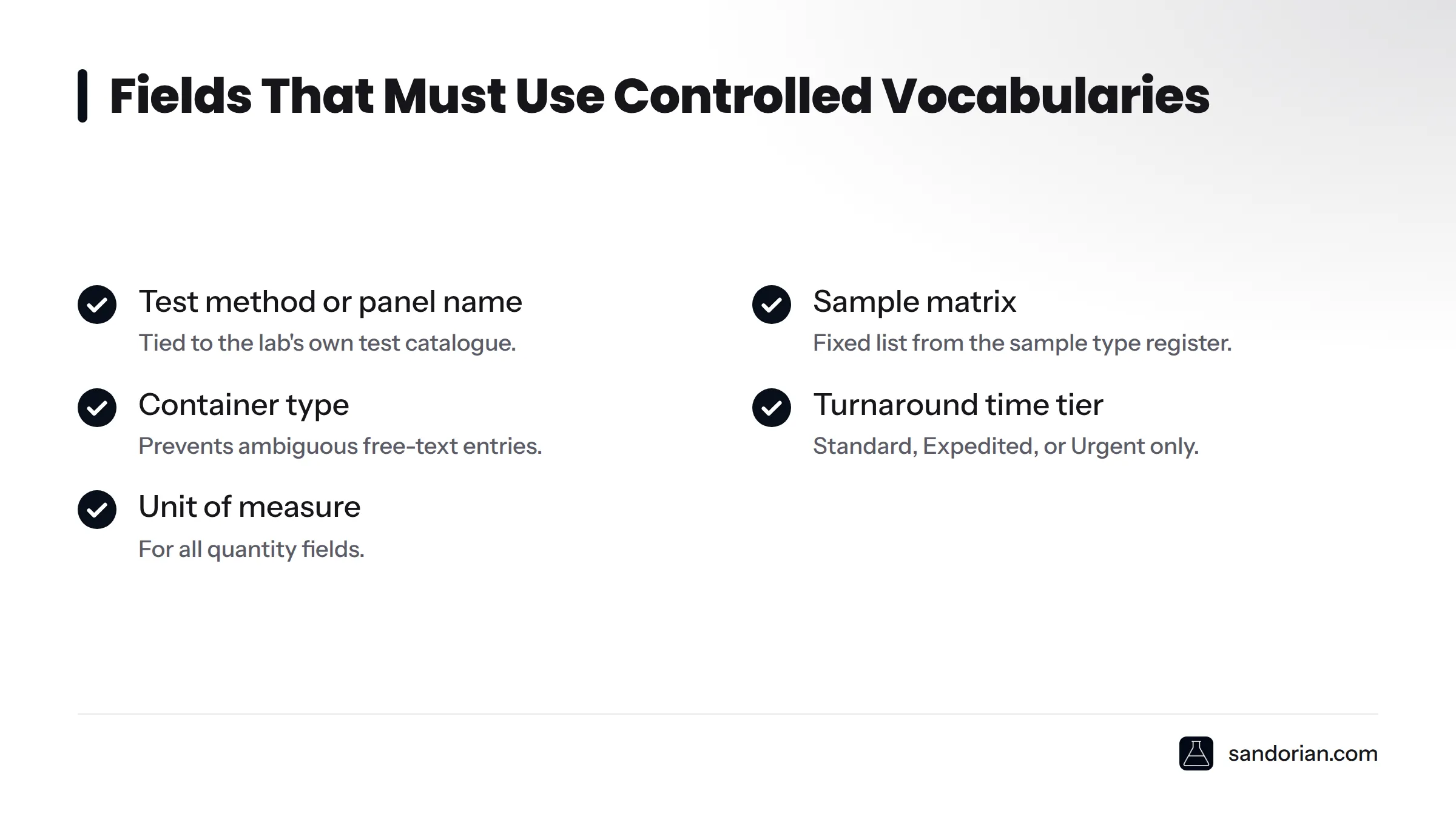
A controlled vocabulary is a fixed picklist, dropdown, or autocomplete list drawn from the lab's own test catalogue and sample type register. In the intake forms we've built, these fields must always use controlled vocabularies:
- Test method or panel name
- Sample matrix
- Container type
- Turnaround time tier (Standard / Expedited / Urgent)
- Unit of measure for quantities
Free-text fields do have a place - in special instructions, sample description narratives, and additional notes. Those fields must be explicitly labelled as non-mandatory for registration purposes, so the receiving technician knows they are supplementary rather than required for accession.
Every free-text field in a mandatory position is a future re-keying event. Read how to stop sample data being retyped on receipt for the full picture on what that costs at volume.
Step 4: Structure the laboratory submission form output to match your registration record
Form field names must mirror the field names in your LIMS or sample registration system exactly. When they do not, every submission requires a manual mapping step before data can enter the system - and manual mapping introduces transcription errors at the very point the form was meant to eliminate them.
The recommended output format is structured JSON or CSV, not an unformatted email body. An email body requires a human to read it and re-enter the data. A JSON payload or CSV row maps directly to registration record fields and can be imported or pushed via API without human intervention.
Section order on the form should follow the order of the registration workflow, not the order a submitter naturally thinks about the request. Submitters think about the test they want first; the lab registers the sample first. Structure the form around the lab's operational sequence, with clear section labels so submitters understand what they are providing and why.
Our custom sample registration software automates the field mapping between form output and registration record - which eliminates the translation layer entirely. For labs connecting a form to an existing LIMS, LIMS integration and instrument middleware covers the technical patterns for that connection.
Step 5: Validate your lab order form online against a real registration scenario
"Validation" here means running a real or synthetic test submission through the form end-to-end and confirming that every field needed to open a registration record arrives present, complete, and correctly formatted.
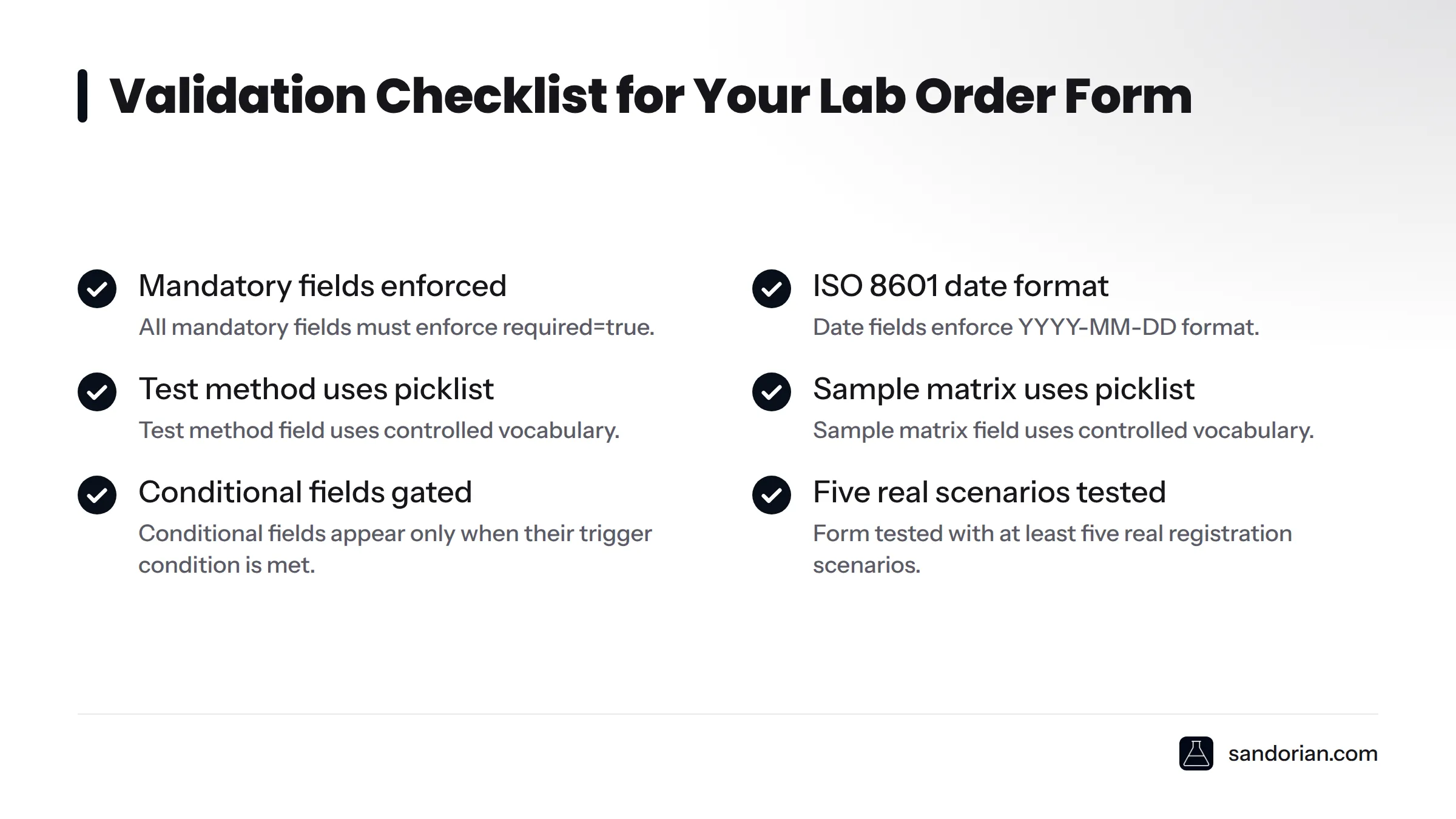
The fastest way to do this: pull the last ten paper or email requests your lab received. Identify every field that was missing or ambiguous. Confirm the new form captures all of them. Then check the field-level rules:
- All mandatory fields enforce
required=true - Date fields enforce ISO 8601 format (YYYY-MM-DD)
- Test method field uses controlled vocabulary
- Sample matrix field uses controlled vocabulary
- Conditional fields appear only when their trigger condition is met
- Form tested with at least five real registration scenarios
On blocking versus warning: block submission when a mandatory field is empty or when a value fails format validation (malformed date, unrecognised test method code). Warn without blocking for optional fields that are commonly useful - this lets submitters consciously skip them rather than accidentally miss them.
If a submitter leaves the test method field blank and the form allows submission anyway, the lab receives an incomplete request. The technician must contact the submitter, wait for a response, and delay registration. Blocking on that field eliminates the problem at source.
Step 6: Connect the form output to your sample receipt workflow
What happens after the submitter clicks submit is as important as the form itself.
The submitter should immediately receive a confirmation email containing a summary of their submitted data, the expected turnaround time, and a reference ID or accession number if your workflow assigns one at submission. This confirmation also serves as a record of what the submitter declared - useful if there is a discrepancy on physical receipt.
Internally, the lab needs a reliable notification: an email alert to the receiving team, a queue entry in the LIMS, or a webhook to the sample receipt system. The notification should carry the full structured submission, not a link to log in somewhere to retrieve it.
On accession number timing: assigning at submission gives the submitter a trackable reference immediately, which they value. Assigning at physical receipt is more accurate because the lab can verify sample condition before committing a registration number. In the builds we've done for regulated labs, assigning a provisional reference at submission and confirming it as the accession number at receipt is a practical middle ground.
The form output must arrive as a structured attachment or API payload, not as an unformatted email body. A structured payload that maps to LIMS fields - as described in Step 4 - means stop sample data being retyped on receipt applies from day one.
What to do after the form is live
Going live is not the end of the build - it is the start of the iteration cycle.
Monitor incomplete submissions. Track which fields submitters skip most often. Frequent skips signal a labelling or UX problem on the form side, not a submitter problem. "Sample matrix" may need to become "What type of sample is this?" for non-technical submitters. Relabelling a field costs minutes; chasing incomplete submissions costs hours.
Version the form. When your test catalogue changes - new methods added, old ones retired, sample type definitions updated - the form fields must change too. Maintain a changelog that records what changed, when, and why. This is especially important for ISO 17025 accreditation and for labs subject to audit.
Know when to upgrade. A single-session web form is the right starting point for most labs. When submitters need order history, status tracking, or result access, the right move is a customer portal rather than an increasingly complex form. For that transition, see our guide on lab workflow automation for where to take the broader intake process next.
For the full picture of what sits upstream and downstream of the form itself, the full customer request intake workflow covers the end-to-end process. And if your lab is ready to move beyond a single-session form to an account-based experience, read about moving from a form to a customer portal.
On data protection: the form collects personal data (submitter name, contact details, organisation). For GDPR considerations for lab software, that boundary is covered in a dedicated article - the scope here stops at form design.
Frequently asked questions
What is a lab test request form?
A lab test request form is the document or web form a client submits to request analysis of a sample. It captures the information a lab needs to register the sample, assign it to the correct method, and report results - and under ISO/IEC 17025 Section 7.1, its content must be documented as part of the request record.
Which fields are mandatory on a lab test request form?
At minimum: submitter name and contact, organisation, sample identifier, sample matrix, test method or panel requested, collection date and time, and required turnaround time. ISO/IEC 17025 Section 7.1 defines the minimum content of a request record and is the authoritative basis for this list.
What is conditional logic in a lab submission form?
Conditional logic shows or hides form fields based on earlier answers. A preservation method field only appears when the submitter selects a biological sample matrix. This keeps the form short for simple requests while capturing everything needed for complex ones - without burdening submitters with irrelevant fields.
Why should test method fields use a controlled vocabulary?
Free-text test method entries cause re-keying errors at receipt. When submitters type slightly different names for the same method, the receiving technician must interpret and correct the entry manually before registration can proceed. A fixed picklist tied to the lab's test catalogue eliminates that variation entirely.
How does form output connect to a LIMS?
The form should produce a structured output - JSON, CSV, or an API payload - whose field names map directly to the LIMS or sample registration record fields. A structured handoff eliminates manual transcription between the web form and the registration system.
When should lab request form validation block submission versus warn the user?
Block submission for missing mandatory fields and invalid formats (malformed date, unrecognised test method code). Warn without blocking for optional fields that are commonly useful, so submitters can consciously skip them rather than accidentally omit them.
If you are building or redesigning a request form for your lab and want it connected directly to your registration workflow from day one, our custom sample registration software is purpose-built for exactly that. Talk to us about your lab's test catalogue, sample types, and LIMS - we will map the form to your registration record before a single field is written.
Sources
Let's talk
We build the systems that power your business. Let us know how we can help.
Book a 30-min Call